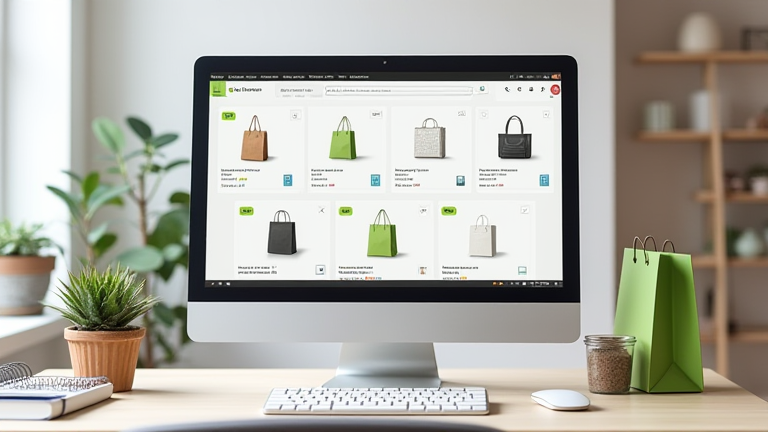
TL;DR: To set up a Shopify store for selling porcelain, you need to create an account, choose a clean theme, add product categories like vases and dinnerware, and configure payments and shipping. This guide walks you through each step with porcelain-specific tips, from high-resolution photography to fragile-item packaging.
Shopify Store Setup: Step-by-Step Tutorial for Beginners
Step 1: Create Your Shopify Account & Choose a Plan
Go to shopify.com and sign up with your email. Start with the 3-day free trial (then $39/month Basic plan). For porcelain, select a theme like “Sense” or “Craft” that emphasizes white space and large imagery—your product’s glaze and texture need to shine. Avoid cluttered themes that distract from intricate patterns.
If you want to dig deeper, check out our guide on Why Your MacBook Pro Battery Drains Fast and How to Fix It.
Step 2: Add Your Porcelain Products with Detailed Attributes
Navigate to Products → Add product. For each item (e.g., Limoges teapot, Japanese celadon bowl), fill in title, description, and price. In the “Inventory” section, track stock by piece—porcelain is often sold in limited runs. Use the “Weight” field for shipping calculations, but override with custom dimensions in the carrier settings. Key tip: include “material: bone china” or “glaze: crackle” in the description for SEO.
Step 3: Set Up Collections to Guide Buyers
Create collections like “Hand-Painted Vases,” “Dinnerware Sets,” or “Collector’s Cups.” Under Collections, choose “Manual” to curate pieces or “Automated” to sort by tags like “vintage” or “microwave-safe.” This helps buyers filter by porosity (earthenware vs. stoneware) and firing temperature—critical for porcelain enthusiasts.
Step 4: Configure Shipping for Fragile Items
Go to Settings → Shipping. Add a rate for “Porcelain – Fragile” with a flat fee (e.g., $15) and enable “Signature required.” In “Packaging,” note that you’ll use double-walled boxes and bubble wrap. For international orders, set up calculated rates via carriers (UPS, DHL) to avoid undercharging for heavy ceramic pieces.
Step 5: Set Up Payments & Taxes
In Settings → Payments, activate Shopify Payments (credit cards) and PayPal. For porcelain, add a “Handle with care” note on the checkout page under “Order instructions.” Under Taxes, set your local rate; if you sell to the EU, enable IOSS for import duties on ceramics.
Step 6: Optimize Product Pages for Porcelain Buyers
Write descriptions that mention firing temperature (e.g., “fired at 1300°C”), translucency, and lead-free glaze. Add a size chart for mugs and plates. Use video (not images) of a spoon tapping the rim to show the “ring” quality—but embedded via YouTube, not as an image tag.
Step 7: Launch & Test Checkout
Before going live, place a test order. Confirm that the shipping calculator correctly adds a $5 surcharge for “oversized porcelain” (over 10 lbs). Then, click “Launch” and share your store on social media with hashtags like #porcelaincollector.
FAQ
Q: Should I sell porcelain that is dishwasher-safe?
A: Yes, but clearly label it. Most fine porcelain (bone china) is not dishwasher-safe; if you sell both, use tags “dishwasher-safe” and “hand-wash only” to reduce returns.
Q: How do I photograph porcelain without glare?
A: Use a softbox diffuser at a 45-degree angle, never direct flash. Place the piece on a matte white or grey background, and shoot in RAW to capture the glaze’s subtle color shifts.
Q: What is the
Leave a Reply