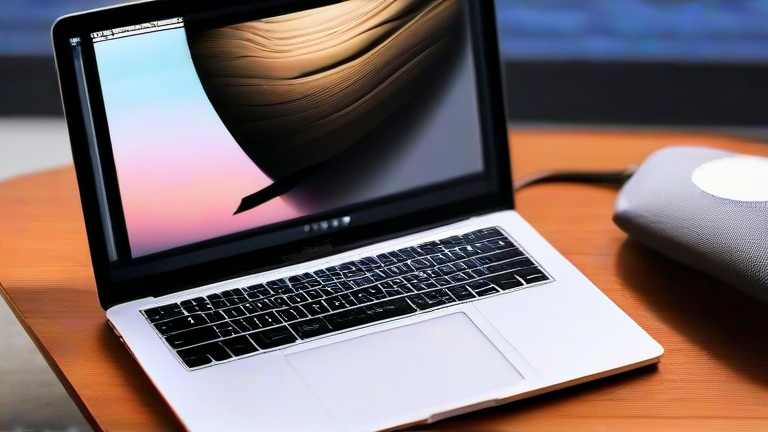
Why Your MacBook Pro Battery Drains Fast and How to Fix It
TL;DR: Your MacBook Pro battery drains rapidly primarily due to high-power background processes and thermal throttling, which degrade lithium-ion cell efficiency over time. You can mitigate this by optimizing power settings, managing app permissions, and ensuring proper ventilation to maintain peak performance.
In the current tech landscape, the MacBook Pro remains a flagship device for professionals, yet battery anxiety persists among users. Recent developments in Apple’s M-series chips have revolutionized efficiency, but they also introduce complex power management challenges. The latest models, featuring advanced neural engines and high-refresh-rate displays, demand significant power when fully loaded. Understanding the interplay between hardware specifications and software optimization is crucial for extending battery life. The industry impact of these high-performance machines has shifted user expectations, demanding that laptops deliver desktop-level power without sacrificing portability. However, this transition often results in accelerated battery degradation if not managed correctly. Users frequently report rapid discharge during intensive tasks, such as video editing or 3D rendering, which stress the thermal management systems. When the internal temperature rises, the system throttles performance to prevent damage, but this process can sometimes lead to inefficient power consumption, causing the battery to deplete faster than anticipated. Furthermore, the shift to all-SSD storage and unified memory architectures, while beneficial for speed, requires precise power delivery that older battery chemistries may not handle as gracefully. As the industry moves toward more sustainable manufacturing, the longevity of battery components becomes a critical metric for consumer satisfaction. Manufacturers are now focusing on longer-cycle batteries, but user behavior plays a pivotal role in actual performance. To address these issues, users must adopt proactive maintenance strategies. Regularly updating macOS ensures that the latest power management algorithms are applied, as Apple frequently releases patches that optimize energy usage. Disabling unnecessary background apps and limiting Bluetooth connectivity when not in use can significantly reduce idle drain. Additionally, using the built-in battery health feature in System Preferences allows users to monitor the maximum capacity of their cells, providing early warnings of degradation. If the battery health drops below eighty percent, a replacement service is recommended to restore optimal performance. Thermal management is another critical aspect; using a MacBook on a soft surface like a bed can block air vents, leading to overheating and subsequent battery stress. Investing in a cooling pad or ensuring a hard, flat surface is essential for maintaining stable temperatures. The impact of these practices extends beyond individual users, influencing how developers write software. Apps must be optimized for low-power modes to ensure compatibility with the efficient nature of Apple Silicon. This creates a symbiotic relationship between hardware and software, where both must be tuned for maximum efficiency. As we look to the future, the integration of artificial intelligence into power management promises even more sophisticated energy saving techniques. AI can predict user behavior and adjust power states proactively, further extending battery life. For now, however, manual intervention and awareness of system settings remain the most effective tools for combating rapid battery drain. By understanding the technical underpinnings of power consumption and adopting best practices, users can enjoy the full potential of their MacBook Pro without constant worry about battery life. The key lies in balancing performance with efficiency, ensuring that the device serves its purpose without compromising on longevity.
If you want to dig deeper, check out our guide on Porcelain Buying Guide: 10 Tips for a Chic & Durable Table.
FAQ
Q: Does using a third-party charger affect battery health?
A: Yes, using non-certified chargers can lead to inconsistent power delivery, potentially stressing the battery cells and reducing overall lifespan.
Q: How often should I update my macOS to improve battery life?
A: You should install updates as soon as they are available, as they often contain critical power management optimizations and bug fixes.
Q: Can I restore a degraded battery without replacing it?
A: No, once lithium-ion cells degrade chemically, their capacity cannot be restored; professional replacement is the only solution.
Leave a Reply