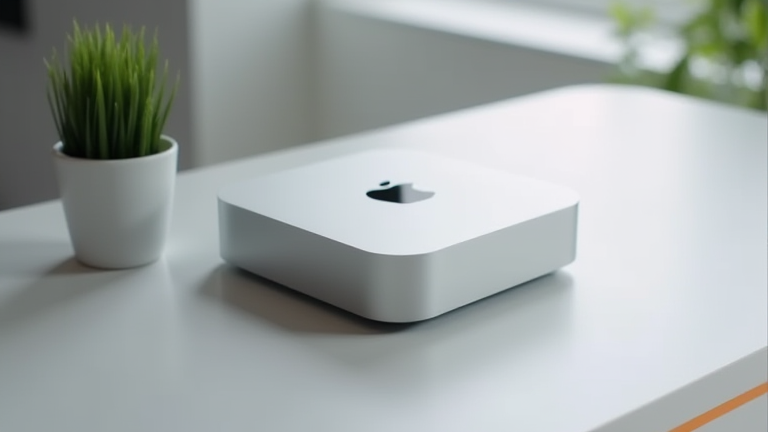
Why the Mac Mini M4 Is the Ultimate Home Server
TL;DR: The Mac Mini M4 offers an unparalleled balance of low power consumption and high performance, making it ideal for silent, energy-efficient home server setups. Its compact footprint and robust macOS ecosystem allow for seamless integration of various home automation and data management tasks without the complexity of traditional Linux servers.
When evaluating hardware for a home lab, enthusiasts often face a dilemma: do they prioritize raw computational power or energy efficiency? The latest development in Apple’s silicon lineup, the M4 chip, has fundamentally shifted the paradigm for small-scale server deployments. While the tech world buzzes with new releases, few products have captured the imagination of home networkers quite like the updated Mac Mini. It is not just a desktop computer; it is a dedicated, always-on hub that quietly manages the digital heartbeat of a modern household.
If you want to dig deeper, check out our guide on Canva: How to Design Instagram Stories in 10 Minutes.
Specs and Performance
The heart of this device is the M4 chip, which provides a significant leap in single-core and multi-core performance compared to its predecessors. For a home server, this means faster file transfers, quicker response times for Docker containers, and smoother playback of high-resolution media streams. The unified memory architecture allows the system to handle multiple intensive tasks simultaneously without swapping to slower storage. Furthermore, the M4’s dedicated neural engine accelerates AI-driven tasks, such as photo organization or smart home scene analysis, locally rather than relying on cloud services. This local processing ensures privacy and reduces latency, two critical factors for a responsive home server.
Power efficiency is another standout feature. The Mac Mini M4 idles at remarkably low wattages, often below 5 watts. In a 24/7 operation scenario, this translates to significantly lower electricity bills compared to x86-based mini PCs or traditional tower servers. The fanless operation in idle states, or the near-silent operation under load, ensures that the device can be placed anywhere in the home without causing auditory disturbance. This quietness is essential for a server that sits in a living room or office rather than a basement data center.
Industry Impact and Ecosystem
The industry impact of the M4 Mac Mini extends beyond individual users. It challenges the dominance of traditional server hardware in the SMB and home market by proving that general-purpose consumer hardware can handle specialized server workloads. By leveraging the macOS ecosystem, users gain access to powerful tools like Time Machine, FileVault, and AirPlay, which are not natively available on Linux or Windows. This creates a cohesive environment where the server integrates seamlessly with iPhones, iPads, and MacBooks, simplifying backup and file sharing workflows.
However, it is crucial to note that while the Mac Mini excels as a media server, backup hub, and home automation controller, it is not a substitute for high-core-count enterprise servers. Its strength lies in its versatility and ease of management. The ability to run virtualization software and containerized applications makes it a flexible platform for developers and hobbyists alike. As home networks become more complex, the need for a reliable, secure, and efficient central node grows, and the Mac Mini M4 is poised to meet that demand with style and substance.
FAQ
Q: Is the Mac Mini M4 suitable for running multiple Docker containers?
A: Yes, it can run multiple containers efficiently, though it is best suited for lightweight to medium-duty applications rather than heavy enterprise workloads.
Q: How does the M4 compare to Intel-based mini PCs in terms of noise?
A: The M4 is generally quieter, especially at idle, due to its superior power efficiency which reduces the need for aggressive fan speeds.
Q: Can I use the Mac Mini M4 as a primary backup destination?
A: Absolutely, it supports Thunderbolt 5 (on higher-end configs) and offers fast data transfer speeds, making it an excellent target for Time Machine and other backup solutions.
Leave a Reply